
Your field team records an opportunity in SalesRabbit. The office needs the customer details, property information, appointment and supporting files to progress the work. When that handover involves retyping records or chasing attachments, the work captured in the field creates more administration before anyone can act on it.
Naonis connects SalesRabbit with your CRM and operational systems, so the receiving team can use that information and the sales team can receive the agreed updates. We normally build these workflows with Tray.ai.
Experience working directly with SalesRabbit
SalesRabbit itself is a Naonis customer. Through that relationship, Enrico Simonetti has delivered successful integration projects for several SalesRabbit customers across the USA. The work includes connecting field-sales submissions to ServiceTitan and integrating AccuLynx job activity with SalesRabbit Amplify.
These projects complement SalesRabbit by connecting it to the systems its customers use to manage customers, jobs and business performance. The examples below show the practical workflows behind that work.
Discuss your SalesRabbit workflow
What does SalesRabbit do?
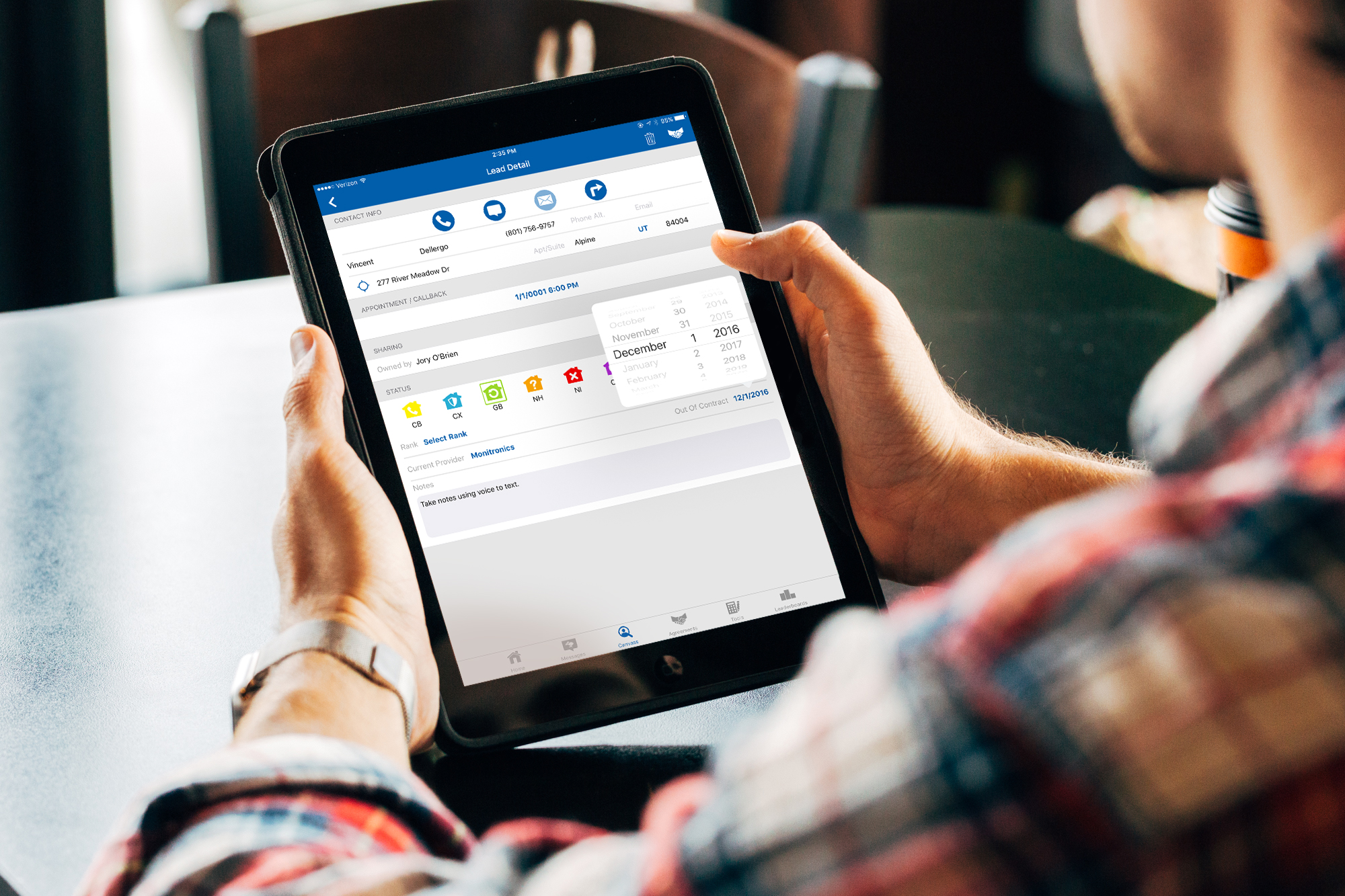
SalesRabbit is a field-sales platform for teams selling away from the office. Its tools help reps organise territories, capture and track leads, plan routes and coordinate appointments. Digital forms and contracts support information capture and signing, while Amplify adds performance reporting, competitions and coaching tools.
Together, these capabilities support the journey from planning where to sell to recording the opportunity and following it up. Integrations connect that work with the rest of a business’s systems. See SalesRabbit’s platform overview for its current capabilities.
Built around your trade and sales process
SalesRabbit’s industry pages cover roofing, contractor services, HVAC, solar, pest control, landscaping, home security and other field-sales businesses. The integration opportunity depends on how your sales team hands work to the people delivering it.
For roofers and exterior contractors, the handover might include property details, inspection photographs and an estimate appointment. For HVAC, electrical, plumbing and other construction or home-service teams, a similar pattern may fit when field reps capture opportunities that must become usable customer, site and job records in another system.
Our demonstrated examples on this page come from roofing workflows. Other trades can use the same underlying approach where their systems and operating rules support it; the record types, required fields and next steps are agreed for each business.
SalesRabbit to ServiceTitan: make the submission actionable
ServiceTitan is an operating platform for residential and commercial contractors, including HVAC, plumbing, electrical and roofing businesses. It supports areas such as customer management, scheduling, dispatch and reporting. See its industry overview.
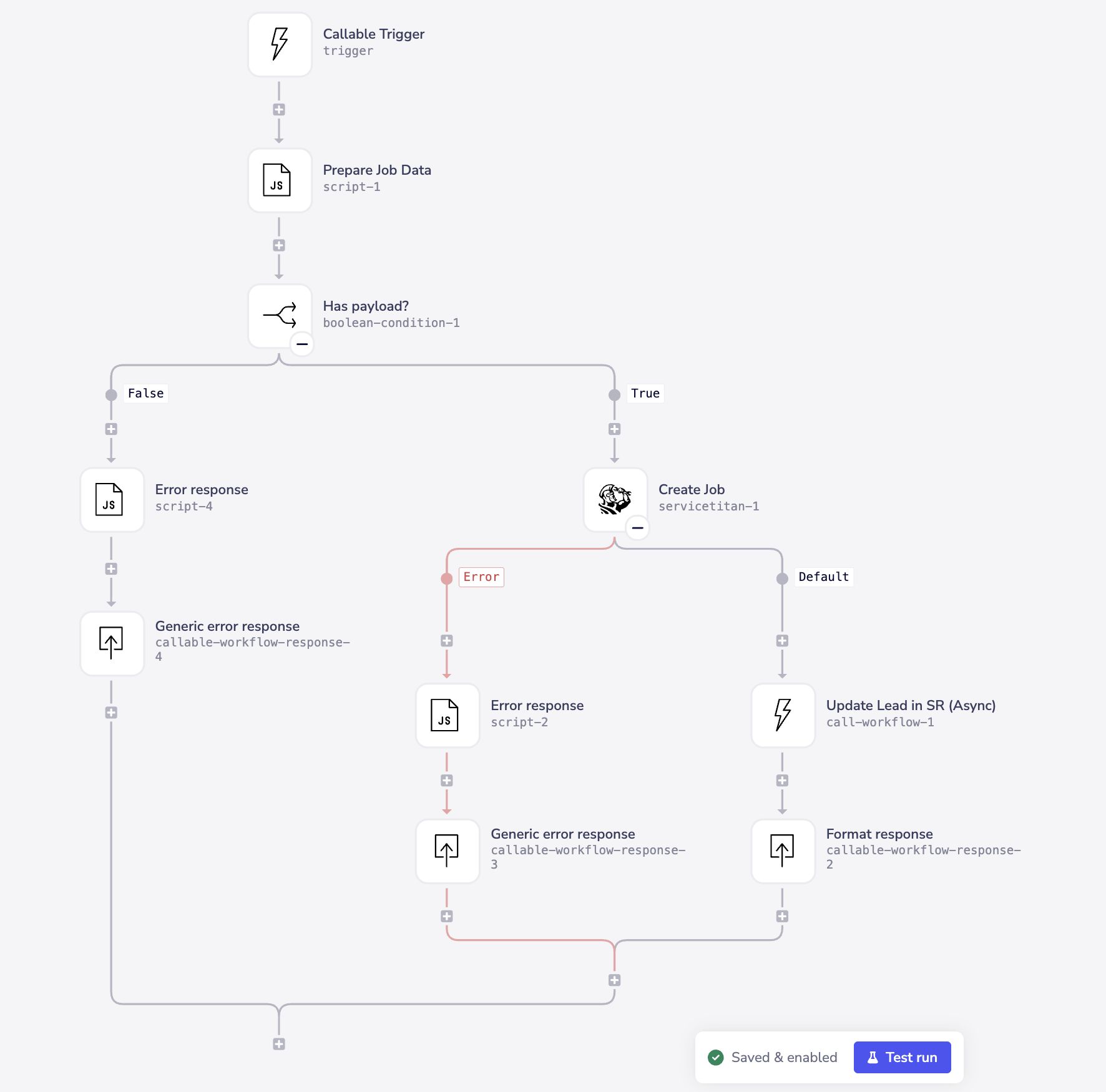
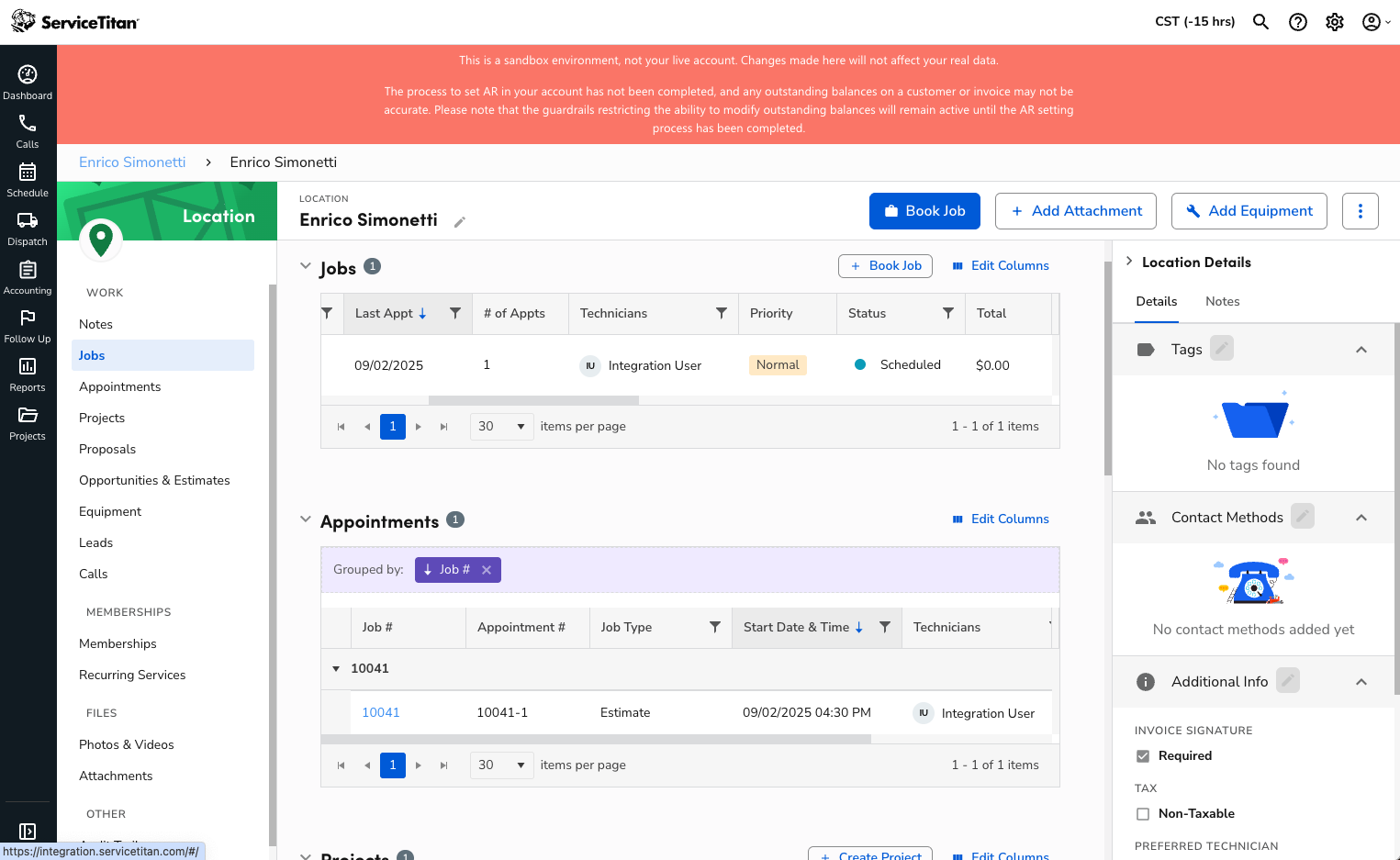
In our SalesRabbit-to-ServiceTitan example, the salesperson submits customer and property information, an appointment time and supporting files. Tray prepares the data and creates the linked customer, project and job records needed by the receiving team.
- Related records stay connected. The customer, location, project and job are linked rather than handed over as disconnected details.
- Attachments are fully transferred. The receiving team gets the submitted files alongside the handover.
- Repeat submissions of the same lead are skipped. Resubmitting that lead does not repeat its processing.
- The workflow checks its payload and handles job-creation errors. After successful job creation, it calls a separate asynchronous SalesRabbit update.
The useful outcome is an actionable record for operations, with less manual reconstruction of the salesperson’s submission. Read the ServiceTitan integration example for the component walkthrough and additional screenshots.
SalesRabbit and AccuLynx: connect field capture with roofing operations

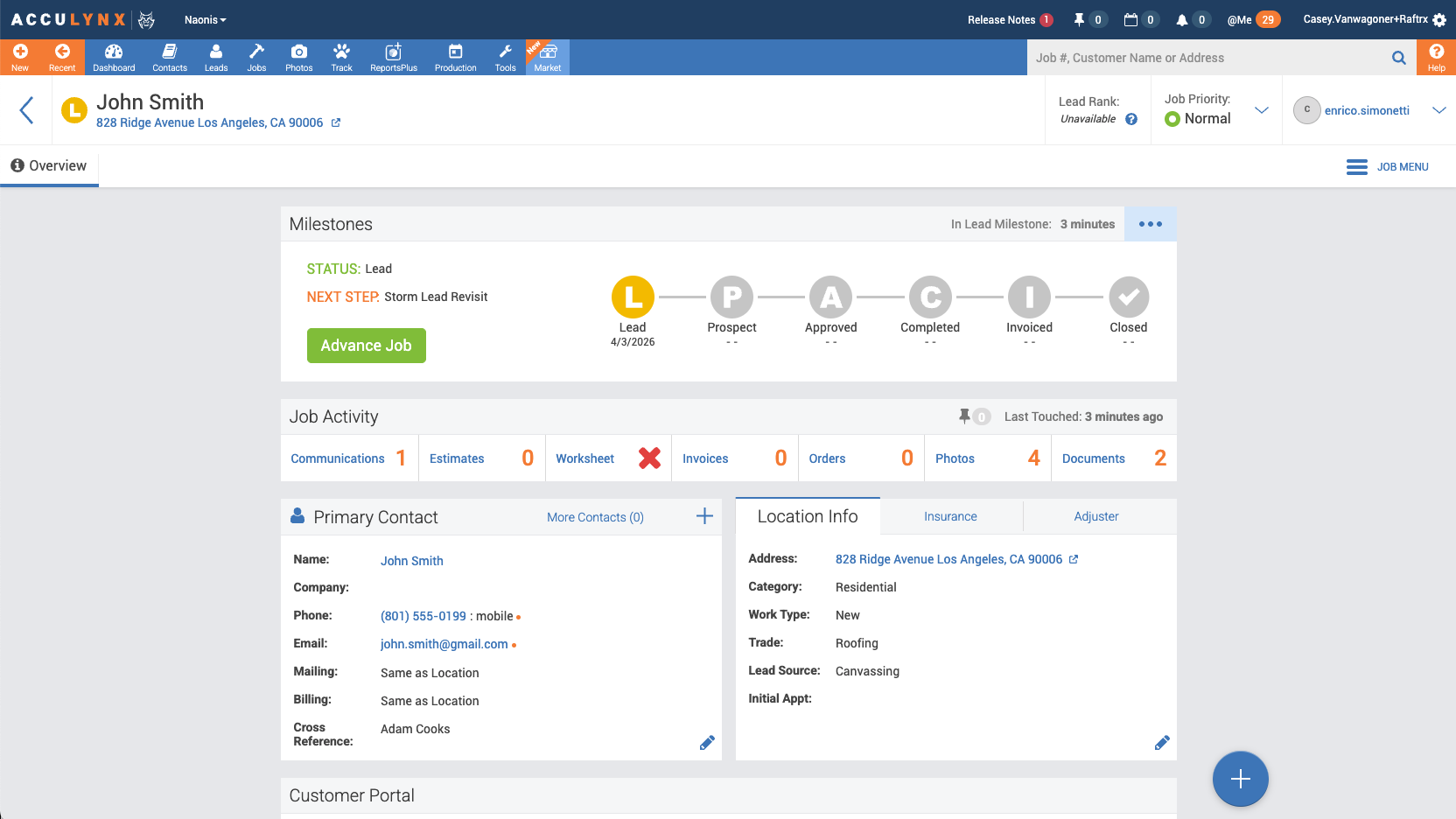
AccuLynx is roofing business management software. Its CRM and sales tools organise contacts, leads, communications and job information, including photographs and documents.
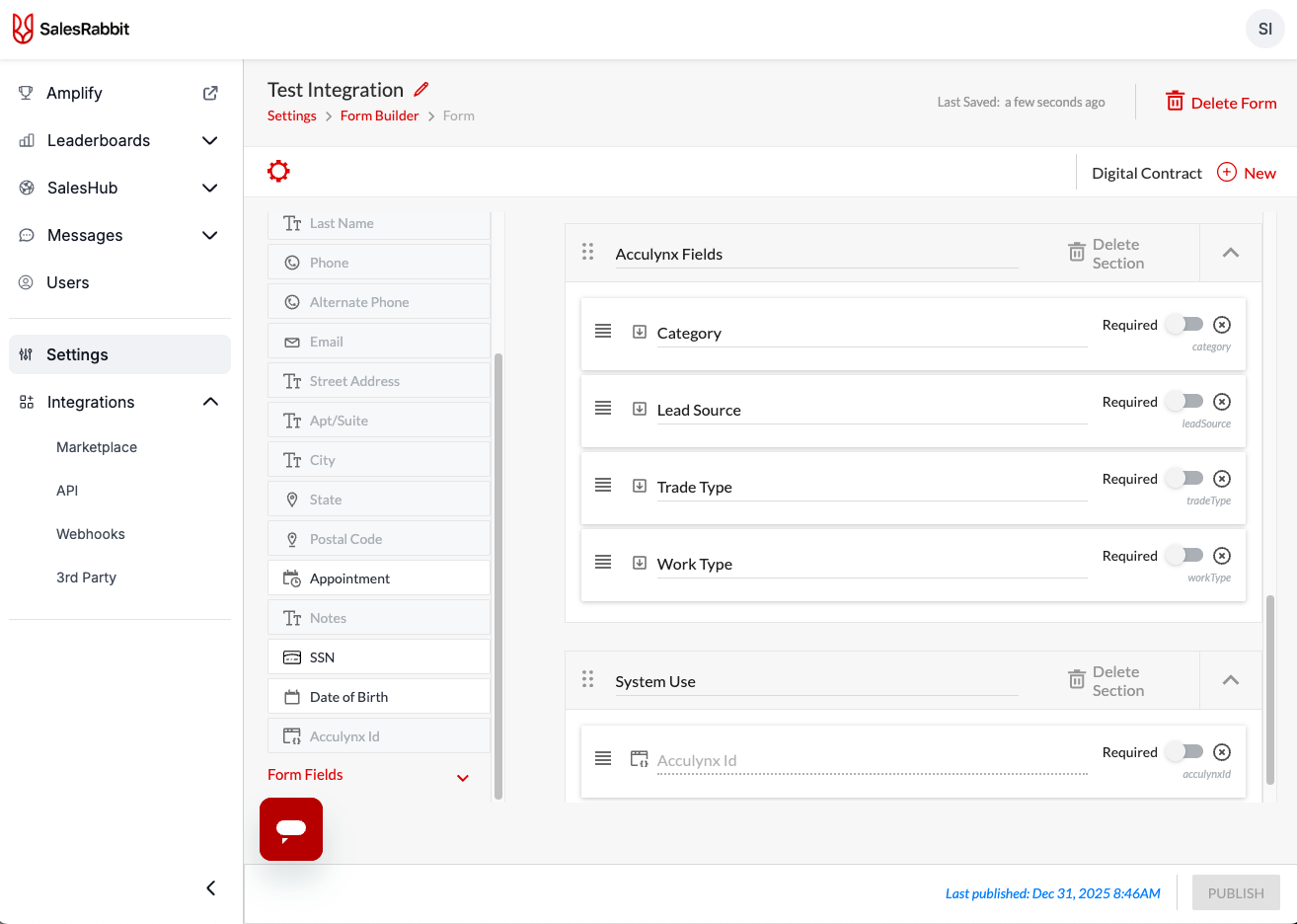
For a roofing business using both platforms, SalesRabbit can capture the field opportunity while AccuLynx holds the operational job information. Agreeing the mapping for category, trade type, work type, lead source and office location helps the receiving team get a useful record instead of another item to classify manually. The supplied examples show these form fields and an AccuLynx lead record with supporting photos and documents.
SalesRabbit already documents an AccuLynx integration setup, and AccuLynx also offers a connection through AppConnections. We review the available option first. Custom work can add value when your particular data, attachments, business rules or follow-up requirements need more than the existing setup provides.
Examples of the handover
AccuLynx to Amplify: bring operational activity into sales performance
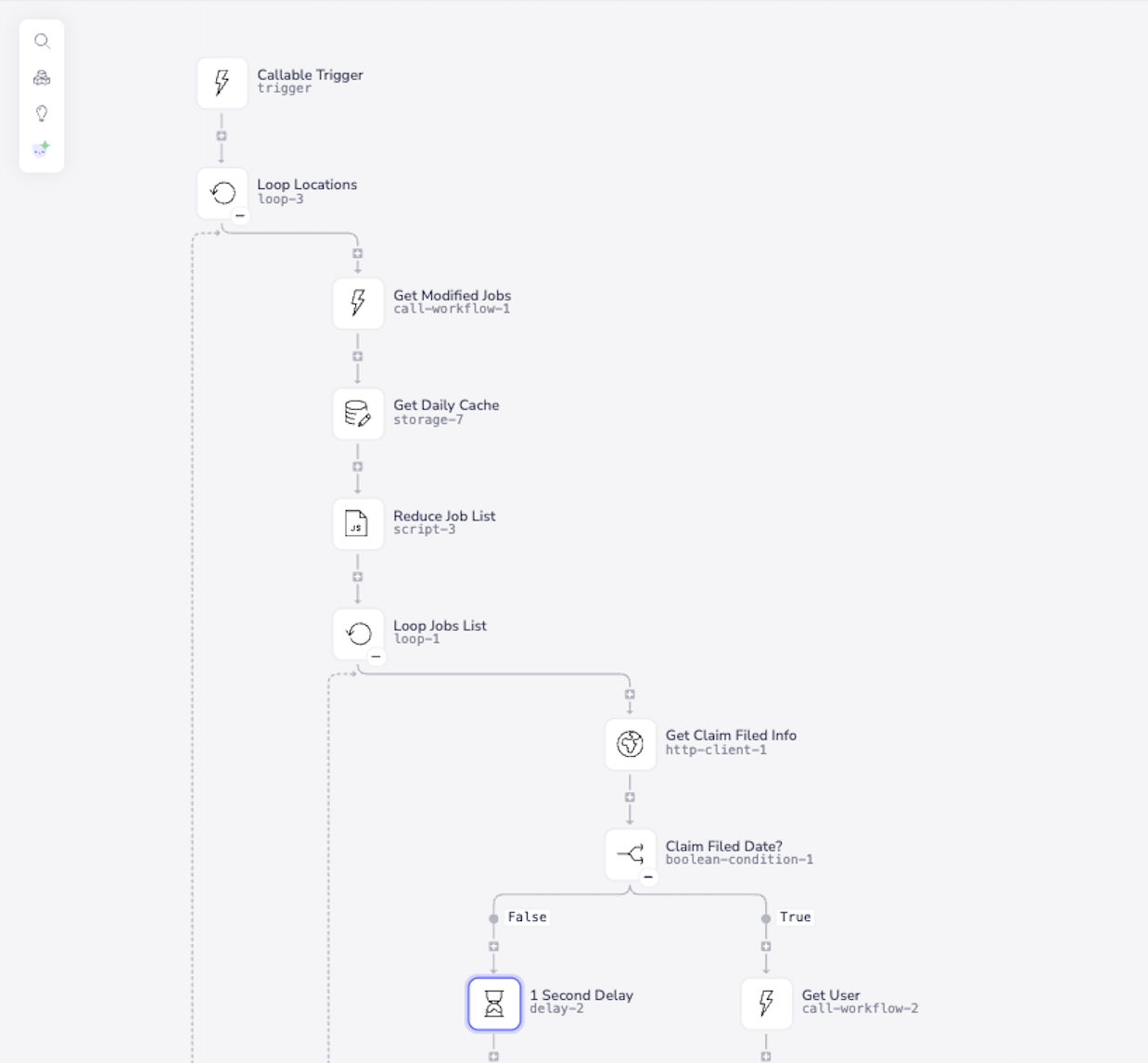
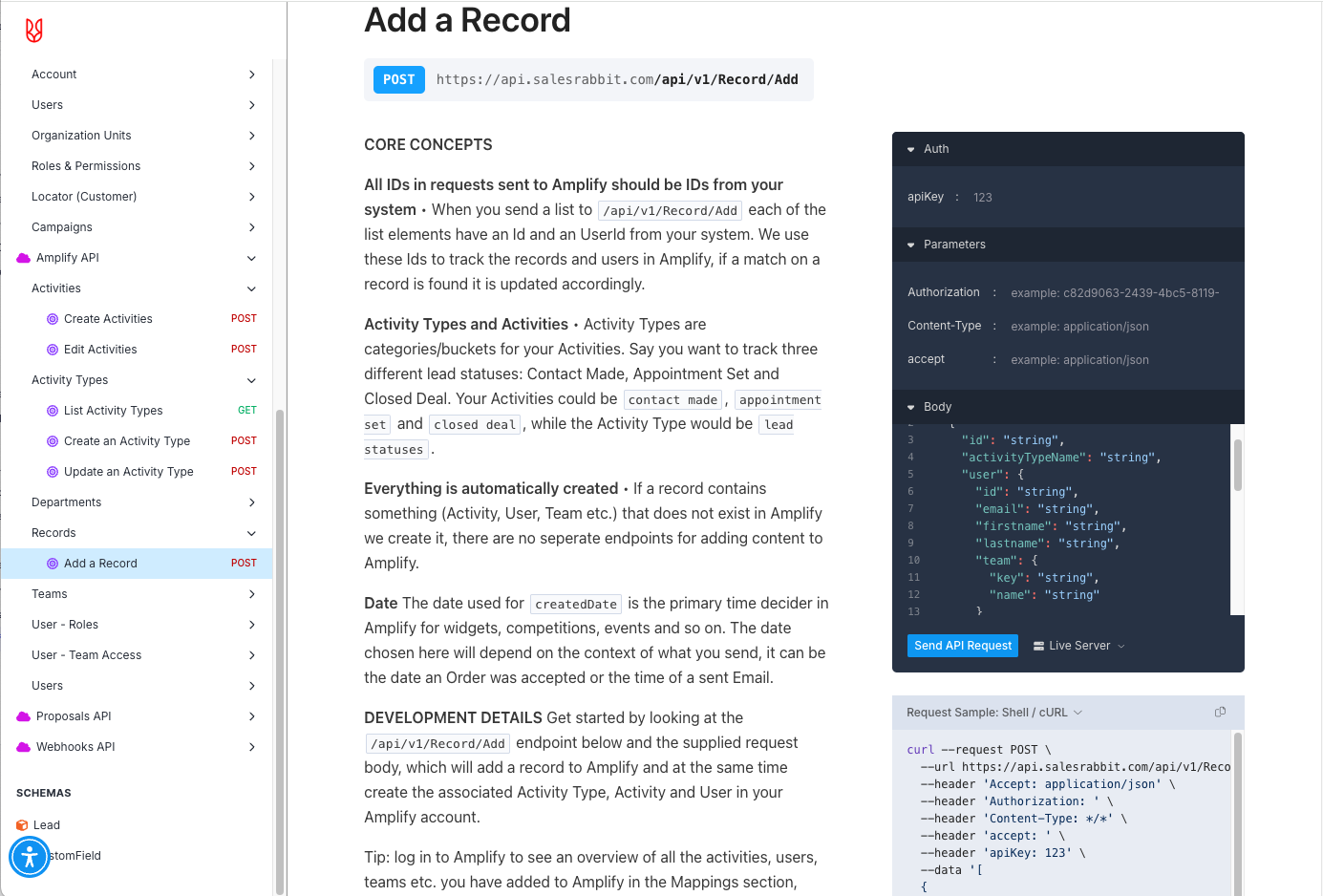
The second integration pattern moves information in the other direction. Our documented AccuLynx-to-SalesRabbit Amplify work feeds job activity into the sales-performance platform, with updates designed to arrive near real time.
SalesRabbit Amplify provides scorecards, competitions, achievements, rewards, coaching and analytics. Connecting operational activity lets managers build performance tracking around agreed events recorded in the job system, reducing the need for reps to log the same activity again.
The important decisions are what counts, when it counts and who receives credit. We agree the relevant job events, source identifiers, timestamps and rep/team mapping so the activity has a consistent meaning. For example, a business could choose to recognise a qualified appointment or a particular job milestone, provided that event is available and the attribution rules are clear.
This gives managers a more useful basis for coaching and recognition. It does not guarantee a particular sales uplift: results depend on the chosen measures, data quality and how the team uses them.
What makes an integration worth doing?
A good starting point is a repeatable workflow that currently consumes staff time, loses useful context or delays the next team. We work with the sales or operations owner and the system administrators to define:
- The trigger and destination. Which submission or job change should cause an action, and which system owns each record?
- The required information. Fields, classifications, attachments, locations and the identifiers that connect records.
- The exceptions. Missing data, repeat submissions, access problems and what the team should do when a handover cannot complete.
- The feedback. Which identifiers or statuses should return to SalesRabbit, and which events belong in Amplify?
- The success measures. Handling time, corrections, time to an actionable record and completeness of performance attribution.
Start with one valuable handover, then expand once its rules and support process are clear. Measure the current effort and compare the benefit with implementation and ongoing support costs.
Discuss your SalesRabbit integration
Bring your current workflow, the receiving system and an example submission or job event. We can identify whether the existing integration meets your needs and where a Tray.ai workflow would make the process more useful.