Enquiries need an owner
A missed call, voicemail or message needs a clear next step, with someone responsible for getting back to the customer.

Customer enquiries & follow-up · Australia
Help customers get answers when you are busy or away. Give your team the enquiry details, relevant customer history and a clear next step, so they can follow up with confidence.
Work directly with Enrico Simonetti. Business analysis, solution design and hands-on delivery, backed by 15+ years in CRM and integrations.
Based in the Illawarra, NSW. Working with businesses in Sydney and across Australia.
For businesses that run on conversations
An enquiry comes in while you are on a job or your office team is busy. Someone takes a message, but the details still need to reach the right person, customer record and follow-up task.
A missed call, voicemail or message needs a clear next step, with someone responsible for getting back to the customer.
The person returning the call needs the request and relevant history, without asking the customer to start again.
Useful details should reach your CRM, scheduling or job workflow without someone rebuilding the same enquiry by hand.
This is a useful place to start for established home-service, construction and professional-service businesses with recurring enquiries and a person who owns follow-up. We check the volume, value and current process before recommending a change.
Connected communications, with AI where it helps
Aircall brings business calling, messaging and AI capabilities together. Naonis focuses on how those conversations connect to your people and business systems.
Use routing, shared conversation history and clear callback ownership to help people respond with context.
Use summaries and conversation insights to spend less time on call notes and give the next person useful context.
Give callers useful answers to approved FAQs, capture messages and handle after-hours intake, with a clear handover when a person can help.
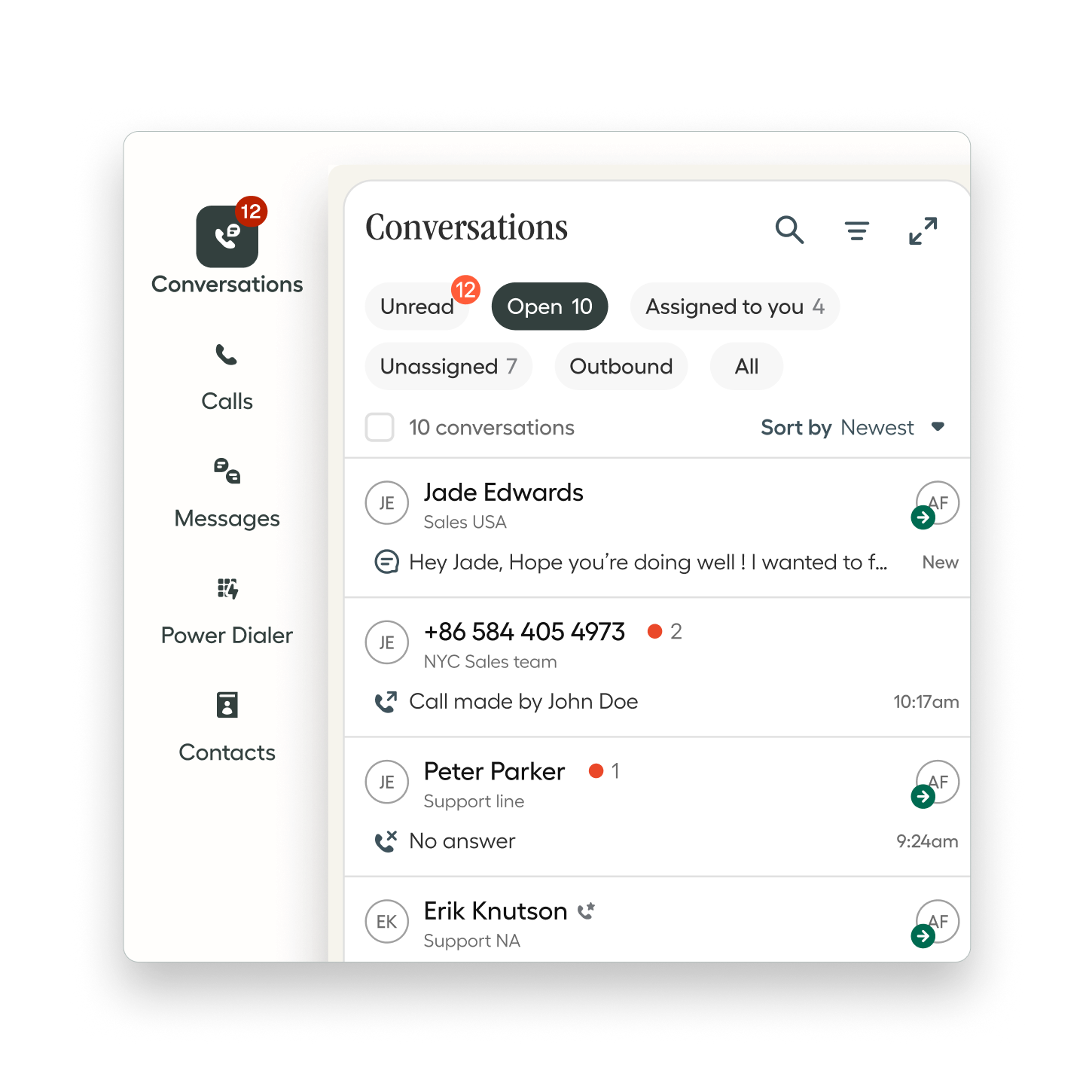
Choose the channels and AI capabilities that suit your customers and team. We confirm what your Australian account and number support, then connect the conversation to the right people, records and follow-up.
Practical communication use cases
Start with the conversation your team handles repeatedly and the next action it should trigger. These six use cases show how we can shape a communication workflow around your customers, people and connected systems.
When a construction, home-service or professional-services team cannot answer, collect the caller’s details, request and preferred callback time. Answer approved FAQs and pass the enquiry to the person responsible for responding.
The useful next step: a clear message, relevant customer record and owned callback.
Capture the service required, location and timing before handing a sales enquiry to the right team. Use agreed routing rules so staff can respond with context rather than repeating the same introductory questions.
The useful next step: the right person receives the enquiry and knows what to do.
Help customers request, change or confirm appointments through a workflow connected to your scheduling system. Timely reminders make it easier to confirm attendance or find another time, helping your team keep the diary productive.
The useful next step: an accurate booking outcome or a clear request for your team to resolve.
Give retail or service customers useful answers to recurring questions. Connect approved FAQs and authorised order or ticket information, with identity checks and a helpful handover for requests that need personal attention.
The useful next step: a useful answer or a support request ready for the right person.
Help customers ask questions and explain what they need by message as well as phone. Use approved information, capture useful details and carry the context into a smooth handover to your team.
The useful next step: a conversation your team can continue with the customer’s needs already understood.
Help staff spend less time recreating call notes. Connect summaries and agreed enquiry details to the correct CRM record, with follow-up tasks and internal email or SMS notifications designed around how your team works.
The useful next step: the follow-up owner has the request, relevant history and a clear action.
A helpful customer experience includes knowing when to bring in a person. We plan clear transfers, useful messages and a visible follow-up queue so your team can give each request the attention it needs.
An enquiry worth following up
Imagine a renovation enquiry arrives while you are laying tiles. A useful first conversation answers approved questions and captures what the customer needs, where the work is and when to call back.
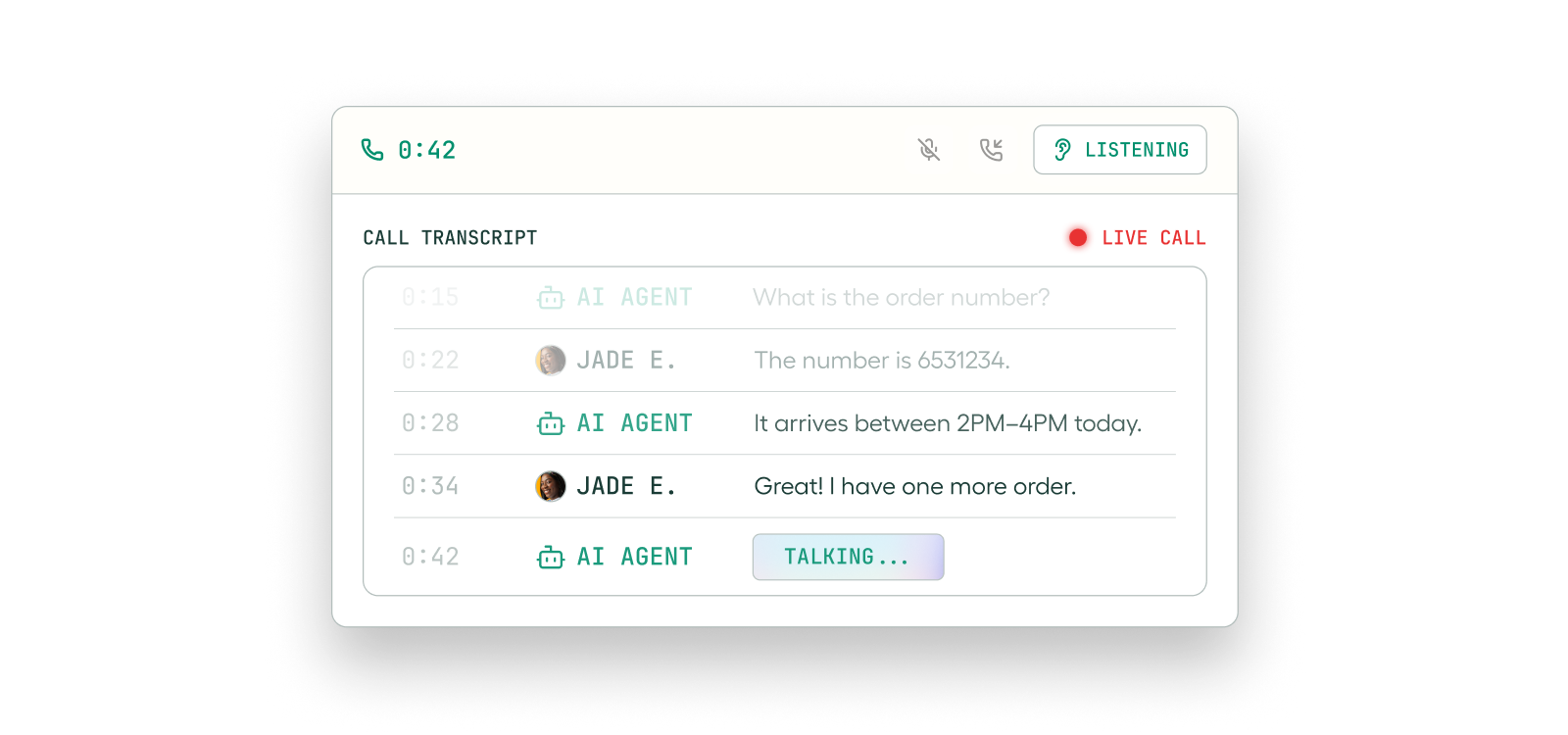
Enrico has prepared business-specific FAQs and a message-taking script using a construction prospect’s website. Ask about the example when we talk; a public test number is planned.
The planned extension connects captured details to a CRM enquiry, assigns follow-up and notifies the right person. That gives the person returning the call the context to have a useful conversation straight away.
When the enquiry reaches the right person with useful context, your team can respond sooner, understand what matters to the customer and make the most of the opportunity.
Beyond a standard connector
Start with Aircall’s native integrations and extend the workflow where your business needs more. Webhooks, APIs and automation can turn a conversation into a useful record, notification or next task.
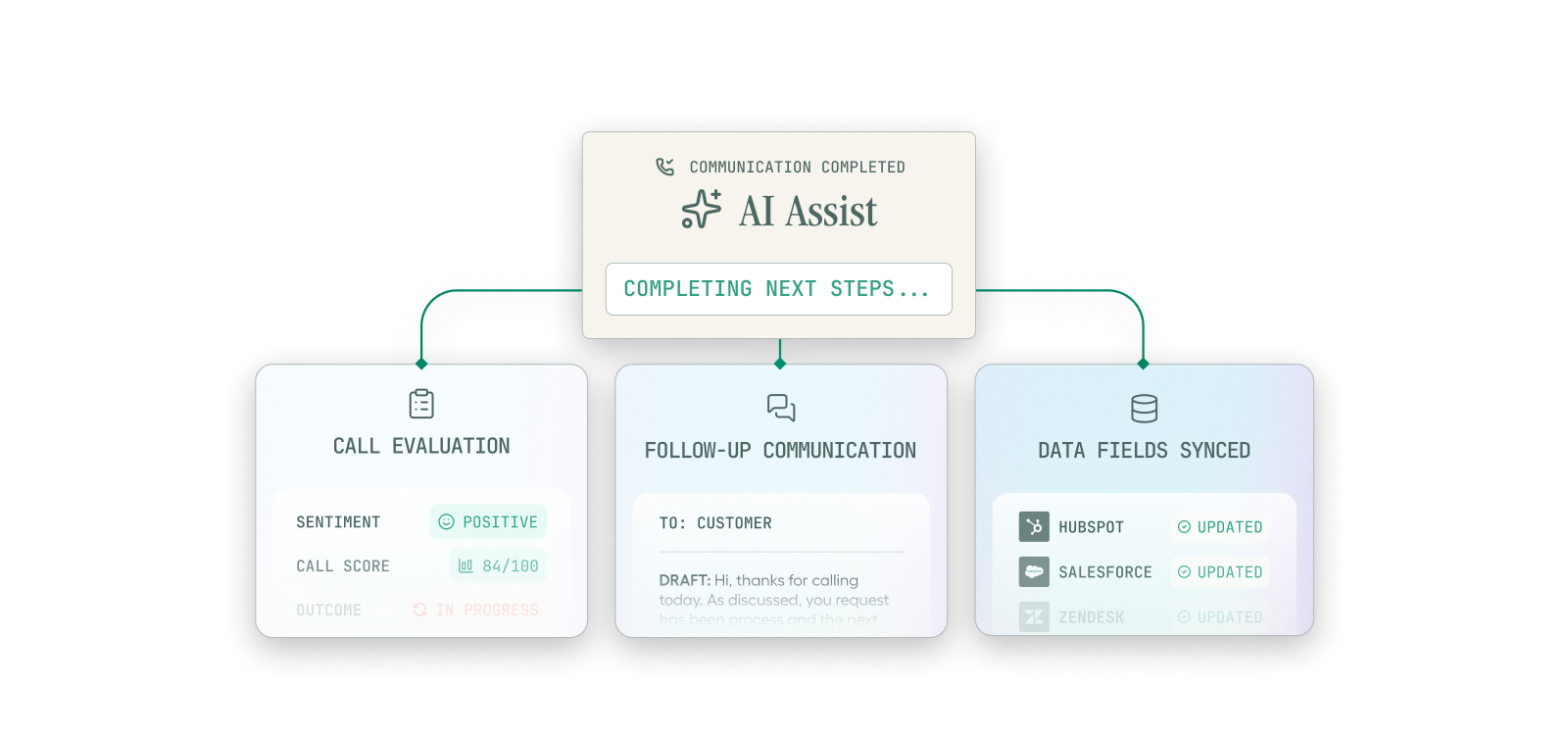
We map the information and actions your team needs, then test the connection through to a useful outcome. Explore our broader business systems integration work .
Business understanding and technical delivery
Enrico combines methodical business analysis with CRM and integration experience. We start with a real conversation and follow what should happen through your systems, including the exceptions your team needs to handle.
You work directly with Enrico on the process, technical choices, testing and handover. The scope includes the agreed workflow and its ongoing ownership, with the smallest useful change as the starting point.
In the SalesRabbit and ServiceTitan example, the integration creates linked customers, projects and jobs, transfers notes and attachments, and skips repeat submissions of the same lead.
Explore the ServiceTitan exampleSalesRabbit and AccuLynx work connects operational information with sales visibility and Amplify activity, with attention to the rules for what counts and who receives credit.
Explore the SalesRabbit workThe Salesforce example brings CRM information into a Slack workflow, helping people find the context for their next customer call.
Explore the Salesforce exampleExplore the CRM and cross-system work behind this approach, from sales-to-job handovers to putting customer context where the team needs it. Meet Enrico and learn about Naonis.
Illawarra · Sydney · Australia
Based in the Illawarra, Enrico works remotely with businesses in Sydney and across Australia. We design around your operating hours, service area, staff availability and the systems you already use.
Bring an example of a missed enquiry, repeated question or slow handover. We identify what a better experience would look like for your customers and team.
Understand the current call flow, check native integrations and identify the information your team needs. Test the available actions against your operating rules.
Build and test the agreed flow, including a smooth handover to your people. Check that the right information arrives and the next person can act on it.
Make the transition from after-hours enquiry to daytime follow-up feel joined up. Your team starts with the customer’s request, useful context and a clear next action.
Yes. Enrico is based in the Illawarra, NSW, and works remotely with businesses in Sydney and across Australia. We agree how to collaborate around your people, systems and operating hours.
To have a natural conversation that answers approved FAQs and captures enquiry details without a staff member on the call, you use an AI voice agent. Your team can also handle calls themselves, using routing, shared conversation history and a callback process. We agree which conversations the AI handles and when a person takes over.
We start with the native integration, then explore APIs, webhooks and automation for the records and actions your team needs. Together we map what information should arrive, who acts on it and how the workflow stays reliable. We confirm the available connections and permissions for your systems.
We look for a practical way to keep the number your customers already know, using porting or forwarding where available. We review your number, carrier and call flow, then plan the change around continuity for your customers and team.
A connected workflow can help customers book, change or confirm an appointment and receive a timely reminder. We design it around your scheduling system, with accurate availability, appropriate permission, sensible contact times and a clear route to your team. Our clinic-style booking and reminder demo is in preparation.
Yes. An AI receptionist can answer approved questions, capture enquiry details and pass context to your team when you are on a job, with another customer or away from work. Keeping more enquiries moving while you are unavailable gives your team more opportunities to follow up and win the work. We agree when the agent should transfer a call, take a message or hand over to a person.
Connect call summaries and enquiry details to the right customer record, then help your team act through an assigned task or internal notification. We define and test the specific CRM actions, including contact matching, agreed fields and any booking, job or opportunity records your workflow requires.
Yes. Timely reminders and an easy way to confirm or reschedule help customers keep their appointments and feel looked after. Combined with helpful follow-up, this can reduce missed appointments, encourage customers to return and build longer-lasting relationships. We connect the workflow to current booking information, with sensible contact times and a clear way to reach your team.
Calls, SMS and WhatsApp can work together to help customers reach you and your team continue the conversation with context. We confirm the channels available for your Australian number and account, then connect the incoming enquiry to the right person and records. Internal SMS or email notifications can keep follow-up moving.
Tell Enrico how enquiries reach you today, which systems you use and where the next step gets stuck. We can work out a sensible place to start.