
Your sales team captures an opportunity. Your operations team needs the customer details, appointment and supporting files to progress it. When someone has to copy that information between systems, every submission creates more administration and another opportunity for a mistake.

Naonis connected that handover for a roofing sales operation using SalesRabbit , ServiceTitan and Tray.ai. The workflow creates linked customer, project and job records, transfers notes and attachments, and returns information to the sales system.
What changes for the team?
- Less double handling: customer, project and job information does not need to be entered again for this handover.
- Context travels with the work: notes and attachments reach the receiving system automatically.
- More time to progress opportunities: staff can use the recovered capacity for quoting, follow-up and coordination.
- Clearer handover visibility: linked records and updates help teams see what has progressed and what needs attention.
See the handover in three steps
These are development and sandbox screenshots from different stages of the implementation, rather than one submission traced end to end. Select an image to view it at full size.
1. Capture the opportunity in the field
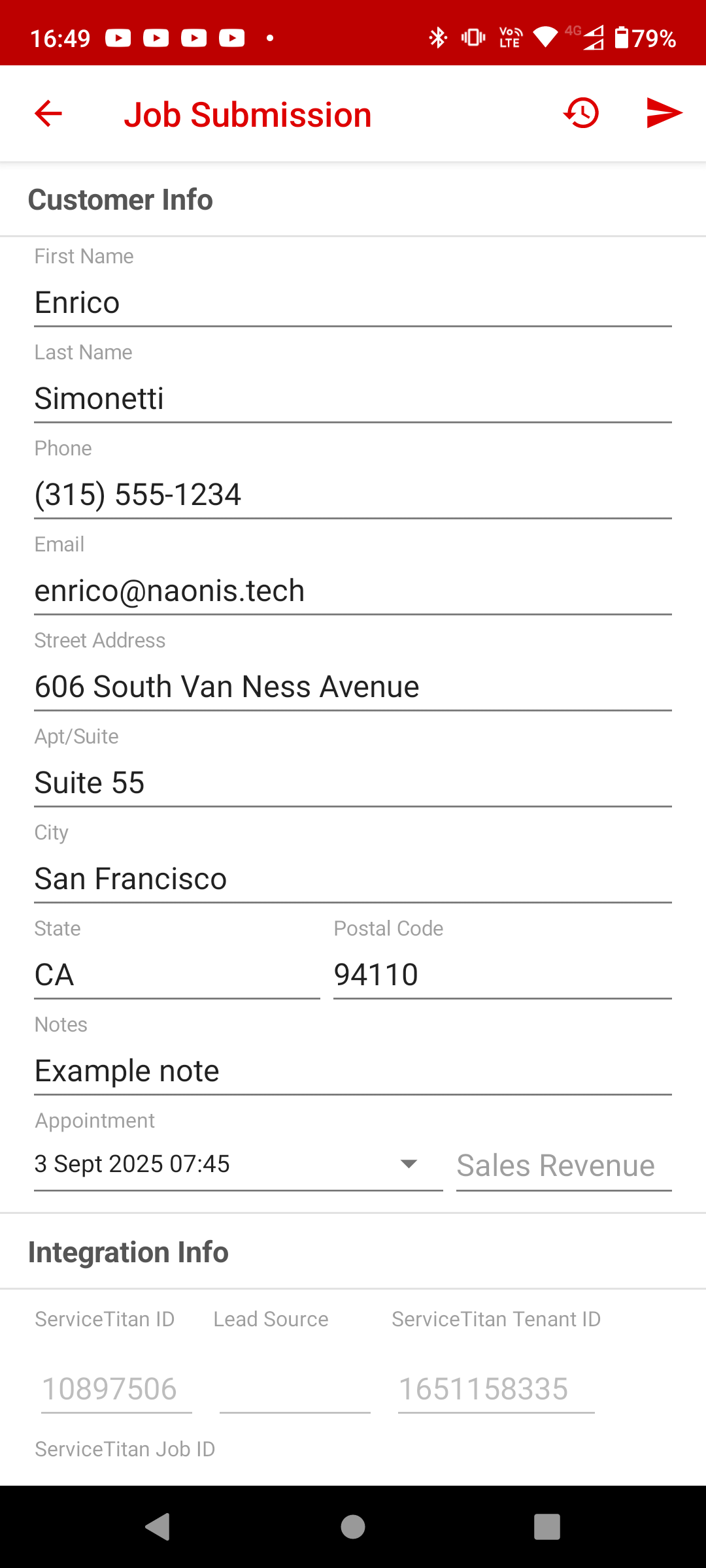
The salesperson submits customer and property details, notes and an appointment time in SalesRabbit. The form also holds identifiers linking the submission to ServiceTitan.
Keeping this step in the sales team’s existing app gives operations the information it needs without asking the salesperson to rebuild the submission elsewhere. Supporting attachments transfer with the handover.
2. Prepare and create the operational records
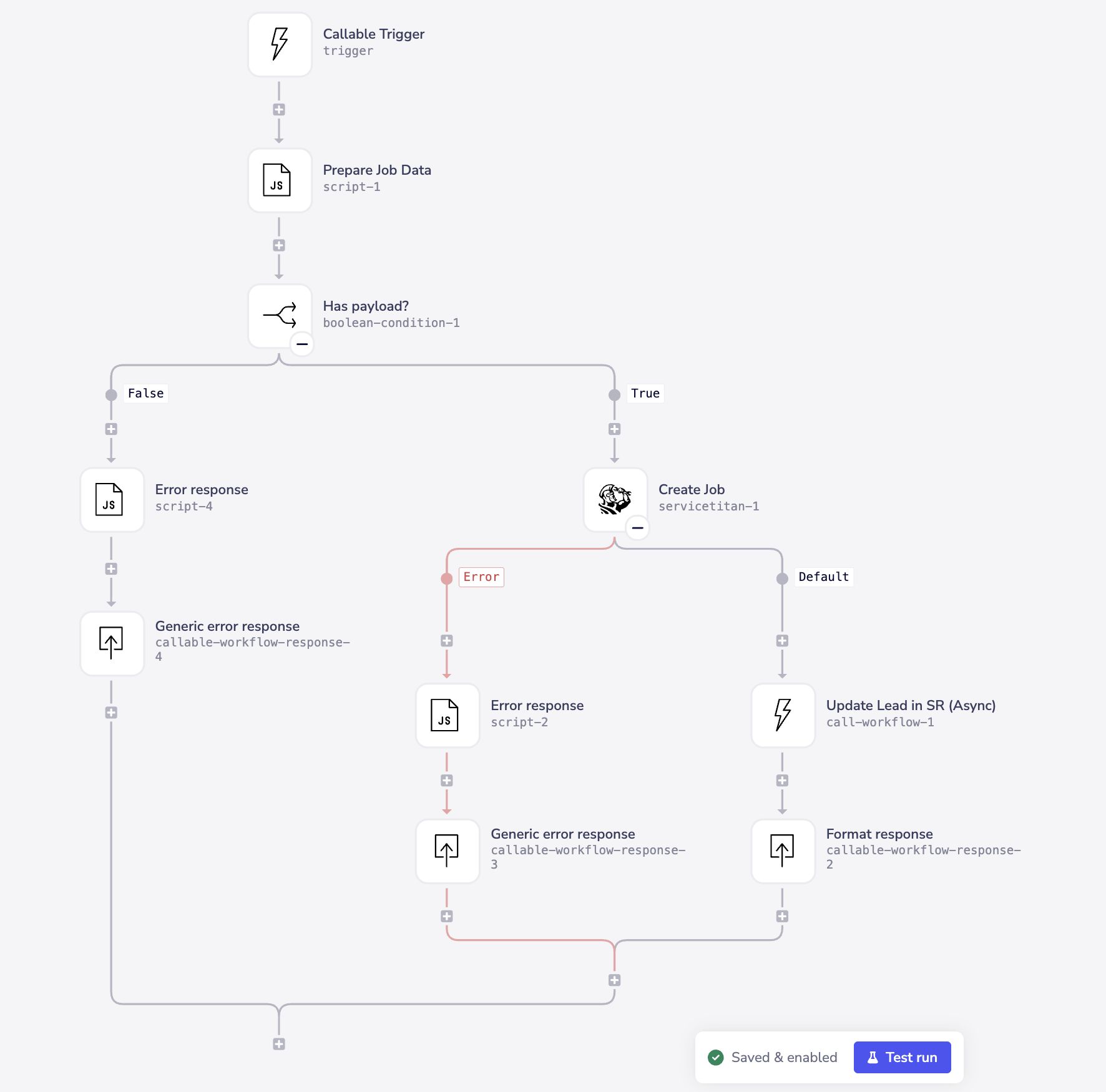
Tray.ai prepares the data, checks the job payload and coordinates the linked customer, project and job records. The implementation skips repeat submissions of the same lead and transfers attachments in full.
The canvas shows separate paths for missing data and job-creation errors. After a successful job creation, it calls an asynchronous SalesRabbit update. That later update is a separate step, so its completion and any recovery need their own handling.
Job types, business units, campaigns and appointment details must match the way operations books work. Matching a different lead to an existing customer or property is another rule to agree during discovery.
3. Give operations a handover it can act on
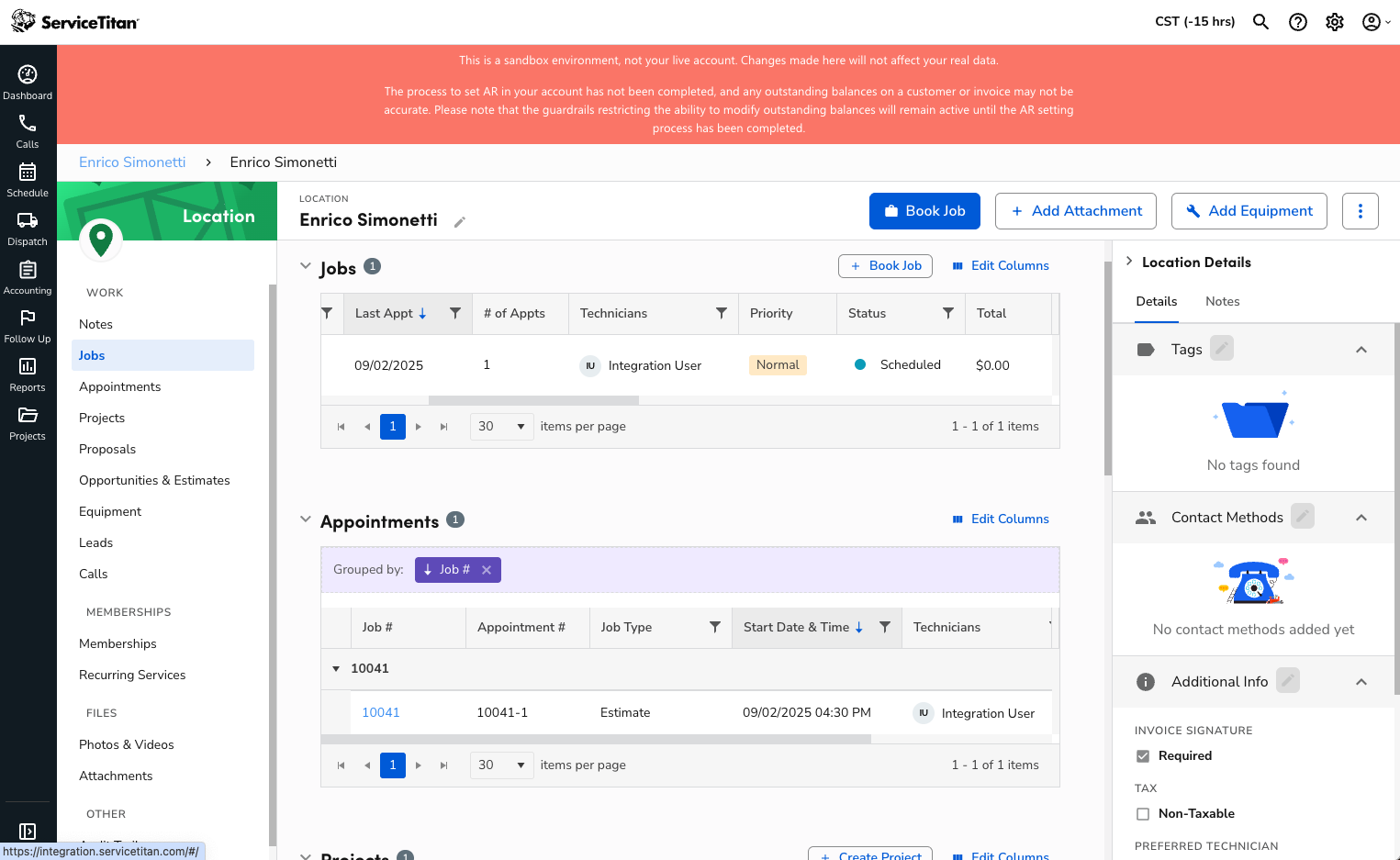
The ServiceTitan sandbox screen shows a location with a scheduled job and an estimate appointment. Customer, property and booking context is available in the system the receiving team uses.
This removes the need to recreate the submission before progressing towards a quote. Estimating, dispatching and completing the work remain part of the wider business process; this screen does not demonstrate completed work or realised revenue.
Who is this useful for?
ServiceTitan serves residential and commercial contractors across HVAC, plumbing, electrical, roofing and specialty construction. Its industry overview describes workflows including scheduling, dispatch, customer management, reporting and accounting. Its roofing software overview illustrates sales appointments, estimating, projects and invoicing for that trade. Availability and configuration depend on the account.
For this integration pattern, the strongest starting point is a contractor using ServiceTitan for operations and a separate lead or sales system, with recurring manual handovers between the teams. The roofing example demonstrates our work; it does not establish completed implementations in every trade.
SalesRabbit is the source system in this example. Another lead source can be assessed if it provides the required data, attachment access and a suitable way to receive any agreed updates.
A useful project has:
- A recurring handover with enough re-entry, corrections or delay to justify improving it.
- Record or booking requirements that need more than a simple contact transfer.
- An owner for the process, with access to the relevant systems and administrators.
A growing field team, new branch or ServiceTitan rollout can make the handover worth reviewing. We first assess the existing setup and available partner integrations. Custom work makes sense when a specific requirement is not adequately covered.
What needs to be agreed before building?
Focused discovery establishes:
- Triggers and matching: when the submission is ready, which records to reuse, and how to handle possible duplicates.
- Booking and mapping: job/project types, business units, campaigns, appointment times and required fields.
- Ownership and supporting information: which system controls each field, where notes/files belong, and what access the workflow needs.
- Recovery and maintenance: who sees failures, how to recover each step, and how changes to configuration are maintained.
A one-way handover with returned identifiers has a different scope from keeping every field synchronised in both directions. We agree the required behaviour before expanding it.
Is the manual work large enough to justify an integration?
Daily capacity recovered = submissions per day × minutes of manual work removed ÷ 60.
For illustration, 100 submissions a day with five minutes of re-entry removed would free roughly 8.3 staff hours a day. At larger scale, 1,200 submissions per working day × five minutes × 20 working days ÷ 60 would amount to 2,000 hours a month.
These are illustrative inputs, not measured results from this implementation. Recovered capacity may give the same staff more time for quoting and follow-up; it becomes a cash saving only if actual costs change. Measure handling time, correction rate and time from submission to an actionable record, counting each saved minute once.
A closer look at the implementation
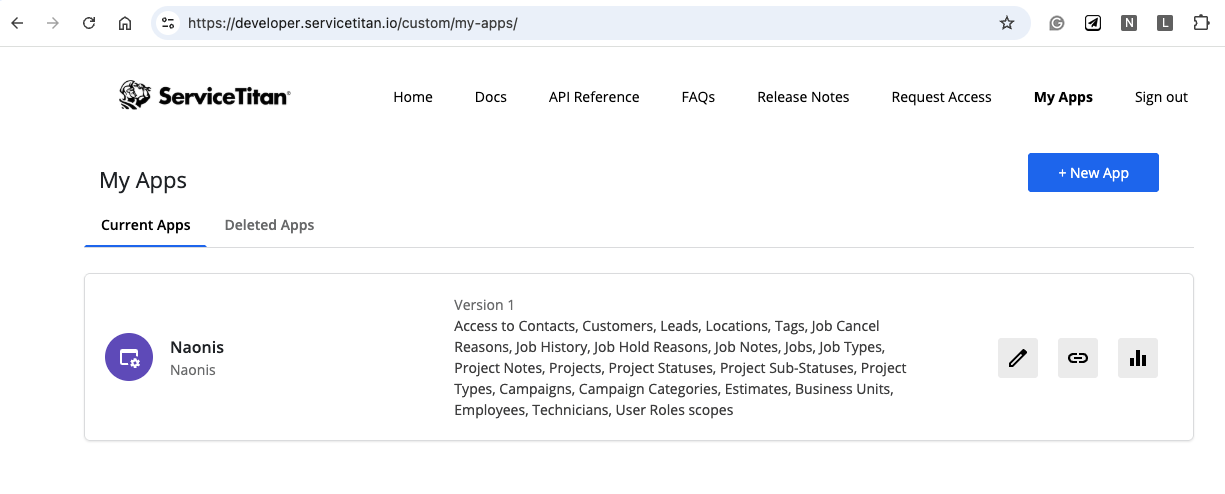
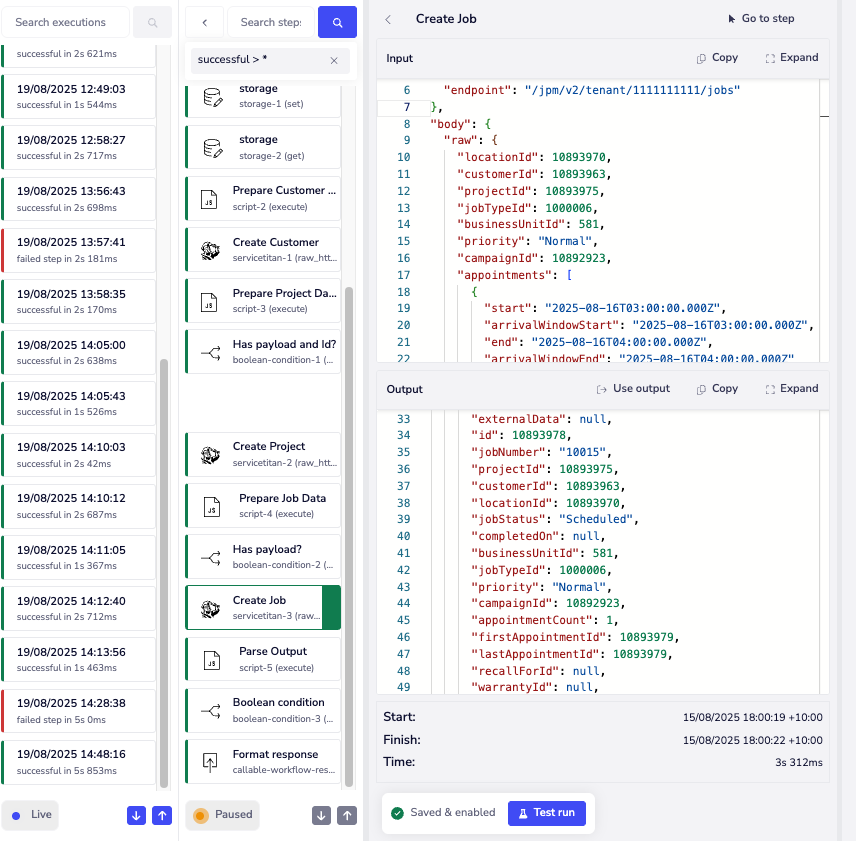
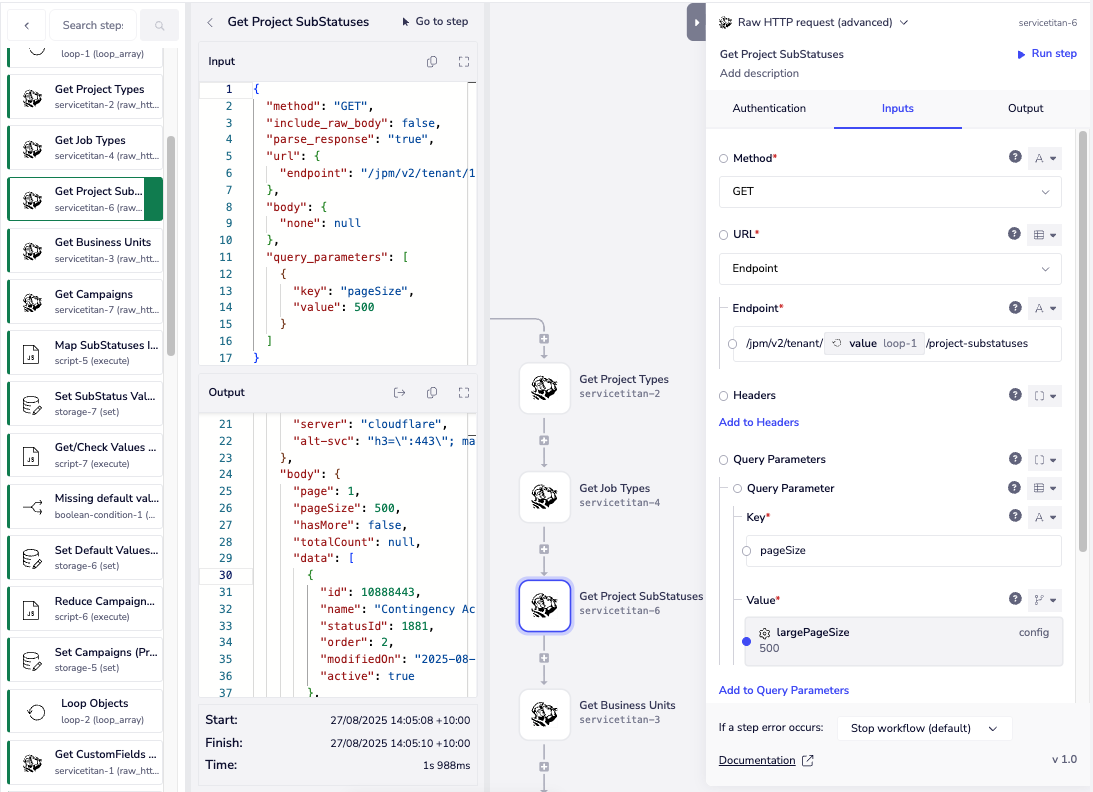
The supporting screenshots show authorised ServiceTitan access, a record-creation execution and reference-data mapping. Access scopes establish what the application can use; they do not mean every associated feature is included. Reference mappings translate your business choices into the identifiers ServiceTitan expects.
Discuss your ServiceTitan integration
See our SalesRabbit integration consulting page for the complementary AccuLynx and Amplify examples.
Bring an example of the current handover, the systems involved and your approximate submission volume. We can identify a useful starting workflow, including when your lead source is something other than SalesRabbit.